





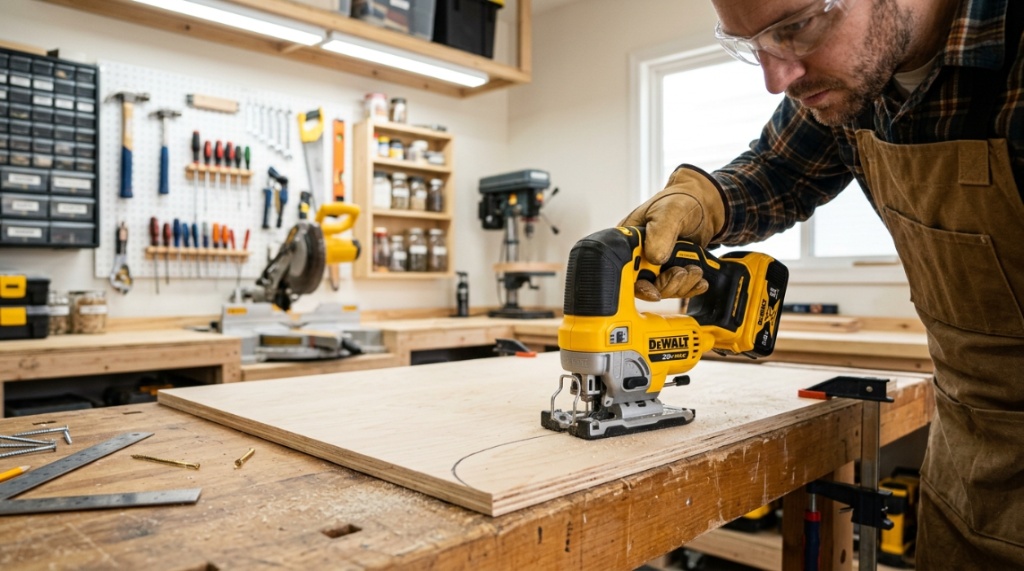
You’ve got the plywood cut, the pencil line drawn, and the vision ready. But your corded saw is tethered to an outlet that’s just out of reach, and you’re wrestling with an extension cord that keeps snagging. That’s the moment you realize a cordless jigsaw isn’t just a luxury—it’s the tool that saves your flow. For DIYers, cutting curves, circles, and complex shapes demands a saw that’s precise, comfortable, and free from tangles. Finding a top-rated cordless jig saw DIY model isn’t about picking the priciest one; it’s about matching power, battery life, and ergonomics to your specific projects. This guide cuts through the noise, giving you a practical, no-nonsense path to choosing the right tool for your workshop.
What Makes a Cordless Jig Saw “Top-Rated” for DIY Use?
A top-rated model isn’t just about brand names—it’s about how the tool performs under real workshop pressure. For DIYers, the rating hinges on three core pillars: cutting efficiency, battery endurance, and user comfort. Before you compare specs, understand that a highly reviewed saw must translate features into tangible results on wood, plastic, and thin metal.
Defining the Core Performance Metrics
Look beyond the box. The motor’s amperage (or voltage for cordless) determines torque. A 20V max motor is the sweet spot for DIY, providing enough power for 2x4s without being overly heavy. Orbital action settings (usually 3–4 positions) allow you to adjust the aggressiveness of the cut—more orbital action for fast rough cuts, less for fine, splinter-free work. Keyless blade change systems are non-negotiable; you don’t want to fumble with a hex wrench on a ladder.
Why Tool-Free Blade Change Matters
Time is your most valuable asset. A top-tier saw lets you swap a wood blade for a metal blade in under ten seconds. Look for a lever that releases the blade with one hand. This feature isn’t just convenience—it prevents frustration and keeps your workflow uninterrupted. Test the lever in the store; it should feel snug, not flimsy.
The Three Most Common DIY Cutting Scenarios
DIY work typically falls into three categories: cutting plywood for shelving, trimming laminate countertops, and cutting PVC pipes or conduit. A top-rated saw must handle all three with minimal tear-out.
How Do You Match Battery Power to DIY Cutting Needs?
Battery voltage tells you the potential, but amp-hours (Ah) tell you the stamina. For a cordless jig saw, a 20V/2.0Ah battery is fine for small trim jobs, but for continuous cutting of a full sheet of plywood, you’ll want a 4.0Ah or higher. The rule is simple: the heavier the cutting, the higher the Ah you need to avoid mid-project browning out.
Voltage vs. Amp-Hours: A Simple Explanation
Voltage is the pressure behind the cut—it gives the motor power. Amp-hours is the fuel tank—it determines how long it runs. A 20V max with 2.0Ah is like a sports car with a small gas tank: fast but quick to refuel. A 20V max with 5.0Ah is a diesel truck—steady and long-lasting. For DIY, a 3.0Ah to 4.0Ah battery provides the best balance of weight and runtime. Remember that batteries are often sold separately, which affects the upfront cost.
How to Estimate Runtime for a Typical Project
As a general rule, a 4.0Ah battery will give you about 45–60 minutes of continuous cutting. That translates roughly to cutting 40–50 linear feet of 3/4-inch plywood. If you’re cutting thicker hardwoods (like oak), expect 30% less runtime due to higher resistance. Plan to have two batteries on hand: one cutting, one charging. This setup gives you essentially unlimited runtime for a Saturday project.
Charging Time: What to Expect
Fast chargers (usually 30–40 minutes for a 2.0Ah, 60–90 minutes for a 4.0Ah) are standard now. Avoid buying a saw that charges slowly—it creates bottlenecks. Look for a charger with a cooling fan; it extends battery life. If you have other tools from the same brand (drill, driver, circular saw), ensure the battery platform is shared. This maximizes your investment and reduces clutter.
Which Features Are Non-Negotiable for Accurate Curve Cutting?
Curves are the jig saw’s raison d’être. To cut a perfect circle or a tight S-curve, you need a saw with a high orbit stroke, a stable shoe (base plate), and a lens. The shoe’s angle adjustment (bevel cutting) is also crucial for angled cuts, but for curves, the pivot mechanism is key.
The Role of Orbital Action in Cleaner Curves
Orbital action moves the blade in an ellipse, rather than just up and down. This aggressive motion is great for straight, fast cuts, but it’s terrible for tight curves—it pulls the blade sideways. For intricate curves, you want to set the orbital dial to “0” (straight up-and-down). This minimizes blade deflection and gives you better control. Top-rated saws make this adjustment easy, often with a dial you can turn while the saw is running.
Why a Clear Base Plate (Shoe) Improves Visibility
You cut where you look. A die-cast aluminum shoe with a wide opening lets you see the cut line clearly. Some high-end models offer an integrated dust blower that clears sawdust from the line, which is a game-changer for visibility. If the shoe doesn’t have a clear view, you’ll be guessing your cut line, leading to waste. Look for a shoe with a smooth surface that won’t scratch your workpiece.
Beveling: How to Set 45-Degree Cuts Correctly
Most DIY tasks don’t require beveling, but when they do (e.g., fitting crown molding), the feature must be reliable. The shoe should tilt with a positive stop at 0, 15, 30, and 45 degrees. Check that the lever locks firmly; a loose bevel lock ruins accuracy. For DIY, you rarely need more than 45 degrees, but set the adjustment once and forget it—the plate should stay rigid during the cut.
How Important Is Comfort and Ergonomics in a Jig Saw?
Your hand grips the saw for hours. A poorly balanced tool leads to fatigue, which leads to mistakes. For DIY users, ergonomics is not a luxury—it’s a safety feature. The grip should be rubberized with a barrel handle or a top handle, depending on your preference. A D-handle might feel bulky, while a barrel grip offers more control for intricate work.
Top Handle vs. Barrel Grip: Which is Better?
Top handles are the classic design—you push down from above, which is good for aggressive cutting. They keep your wrist straight. Barrel grips are inline with the blade, offering greater control for precision work. For DIY who does a mix of rough and fine cuts, a top handle with a comfortable over-mold is often the best choice. It’s easier to hold for hours. Try both in the store—your hand will tell you which is better.
How Vibration Affects Cut Quality
Vibration isn’t just a comfort issue; it’s an accuracy killer. A saw that vibrates excessively makes you lose your line. Look for models with anti-vibration systems—often a counterbalanced mass inside the body. These reduce the “kick” you feel. A stable, heavy saw (around 5–6 pounds) absorbs vibration better than a lightweight one, but you don’t want it too heavy to hold above your head for a ceiling cut.
Dust Management: Keeping the Line Visible
Dust shrouds or vacuum attachments are beneficial. Many top-rated saws have a port that connects to a shop vac. If you don’t use a vacuum, the onboard dust blower should be powerful. A clear cut line is non-negotiable for accuracy. A saw that clogs with dust wastes your time and material.
Which Brands Consistently Deliver the Best Cordless Jig Saws?
Brand reputation matters because you’re buying into a battery ecosystem. The big players—DeWalt, Milwaukee, Makita, Bosch, and Ryobi—each have loyal followings for a reason: they balance performance and price. For DIY, you don’t need industrial-grade tools, but you do need reliability.
Comparing Top Brands for DIY Balance
DeWalt and Milwaukee dominate the professional scene, offering high power but also higher prices. Makita is known for lightweight comfort. Bosch (often in 12V max) has precise control for delicate work. Ryobi is budget-friendly and has a vast lineup of compatible tools, making it a favorite for home hobbyists. For a top-rated cordless jig saw DIY users love, Ryobi often wins on value, but DeWalt offers longer runtime. Consider what other tools you own—sticking to one battery platform saves serious money.
Is Brushless Motor Technology Worth the Extra Cost?
Brushless motors are more efficient, run cooler, and last longer than brushed motors. They deliver more power per watt of battery. For a DIY user, the extra cost (usually $30–$50 more) is worth it if you cut constantly. If you’re a weekend warrior, a brushed motor will still perform fine. However, brushless saws are quieter and have no brushes to replace, which means less maintenance over the years.
Budget Picks vs. Premium Models: The Real Difference
The gap lies in fit and finish, not just power. Budget models might have plastic shoes, shorter battery life, and less precise orbital dials. Premium models offer tool-free adjustments, metal gear housings, and better dust collection. For a DIY user, a mid-range model from a reputable brand often hits the sweet spot—you get the reliability without the pro-builder price tag. Don’t buy the cheapest option; buy the cheapest one that doesn’t feel cheap.
Why Is Cutting Speed (SPM) Critical for Different Materials?
Strokes per minute (SPM) determines how fast the blade moves up and down. High SPM (3,000+) cuts wood quickly but creates heat, which can melt plastic or burn wood. Low SPM (1,500–2,000) is for cutting metal or plastic more slowly with control. A top-rated saw gives you a variable-speed trigger to adjust on the fly.
How to Adjust Speed for Wood vs. Plastic
The trigger should have a lock-on button for continuous cutting at a set speed—your finger will get tired otherwise. A good saw responds smoothly to pressure, not in jumps.
The Right Blade for the Right Job
Don’t use a wood blade on metal. Blade types matter more than the saw body. For DIY, buy a pack of T-shank blades with various TPI (teeth per inch). A 10 TPI blade is for fine wood cuts; a 18 TPI blade is for metal; a 6 TPI is for fast rough cuts. Top-rated saws use simple T-shank blades that are widely available and cheap. Avoid saws that use proprietary blades.
When to Use Orbital Action for Speed
Orbital action is your speed booster. For straight cuts in thick wood, turn the dial to “3” to maximize cutting speed—the blade bites into the wood more aggressively. For curves or fine woodwork, set it to “0.” A saw with a four-position dial gives you more flexibility than a two-position switch.
Can a Cordless Jig Saw Replace a Circular Saw for DIY?
No, they serve different purposes. A circular saw is for long, straight cuts in plywood or lumber. A jig saw is for curves, openings, and cuts that don’t require a straight edge. You can cut a 2×4 with a jig saw, but it’s slow and the cut might not be square. For DIY, you need both—the jig saw complements, not replaces.
Ideal Jobs for Cordless Jig Saws
Use it for cutting laminate countertops, trimming door jambs, plumbing pipes, and cutting holes in drywall. It’s perfect for cutting out sink openings. It’s not ideal for ripping long boards—that’s circular saw territory. Think of the jig saw as the “detailer” in your arsenal.
The Accuracy Limits of a Jig Saw
It’s difficult to cut a perfectly straight line over 3 feet without a guide. The blade can wander, especially in thick wood. If you need a precise, straight cut, use a circular saw with a speed square. For curves, the jig saw is unmatched. Knowing this limitation prevents frustration. Use a straight edge clamp as a guide when you need long, straight cuts with your jig saw—it helps, but it’s not perfect.
How to Cut Thick Material (Over 1 Inch) with a Jig Saw
Use a longer blade (3 inches or more) and set the orbital action to “0” to reduce blade stress. Cut slowly, letting the saw do the work. Don’t force it—this causes the blade to bend and break. Score the line with a utility knife first if you’re cutting a laminate surface to prevent chipping.
How Do You Test a Jig Saw Before Buying?
If possible, visit a physical store to handle the saw. The trigger feel, the weight distribution, and the switch positions make a huge difference. A list of specs won’t tell you if the handle digs into your palm.
What to Check in the Store
First, check the blade release—is it smooth? Next, feel the trigger—does it have a variable speed that’s easy to modulate? Finally, look at the shoe—is it flat and smooth? Ask to insert a battery to feel the weight. A top-heavy saw is tiring to use. Move it in a circle—does it feel balanced?
Reading Reviews: What to Look For in User Feedback
Pay attention to repeated complaints. If several users mention the battery drains fast or the dust blower is weak, take those seriously. Look for reviews from people who do similar work to you (e.g., “I cut a lot of 1/2 inch plywood for boxes”). Those are more relevant than a pro contractor who uses it daily.
Warranty and Support: The Unsung Hero
Check the warranty terms. Most major brands offer 3–5 years on the tool, but batteries usually only have a 2-year warranty. Register your tool on the brand’s website after purchase. Good customer service is worth more than a minor spec difference. Keep your receipt and box for the first 30 days.
What Are the Top-Rated Cordless Jig Saws for DIY in 2026?
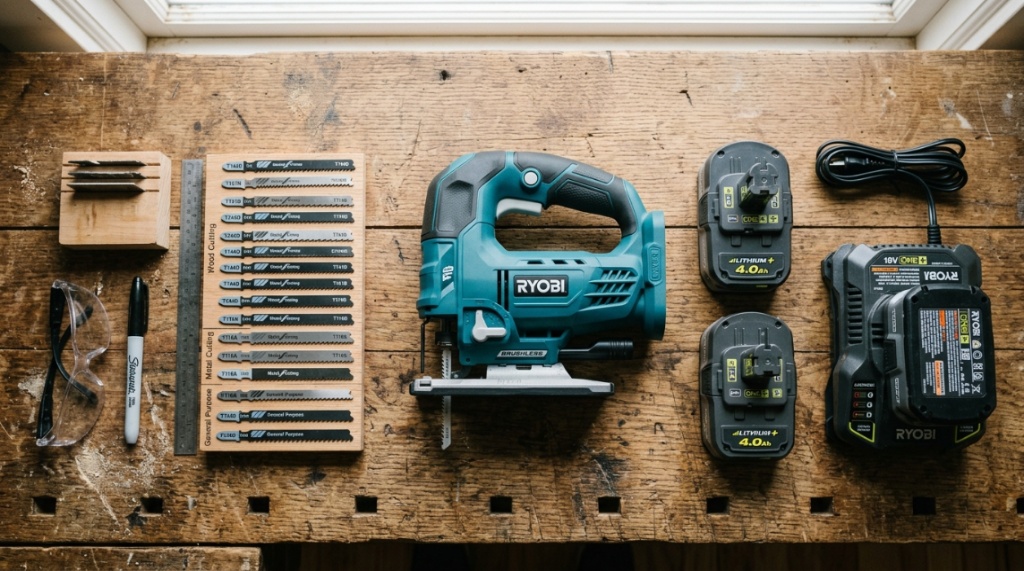
Based on professional reviews and user sentiment, a few models consistently rise to the top. These aren’t necessarily the most expensive, but the best performers for the money. Let’s break down the current favorites.
DeWalt 20V Max XR Jig Saw
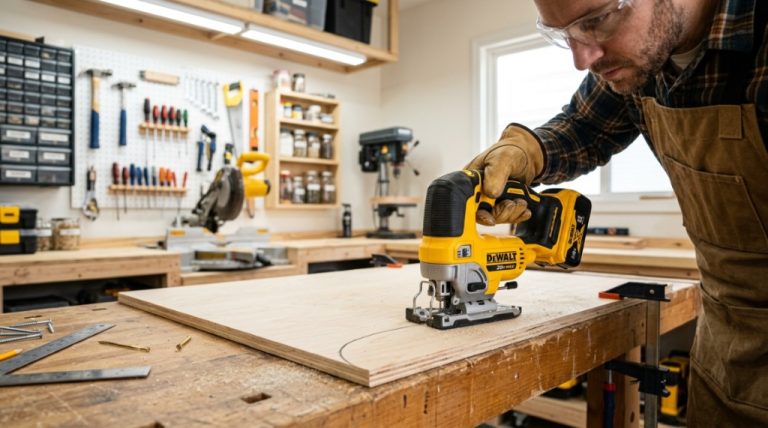
Known for its durability and long runtime. It features a four-position orbital dial and a keyless blade change. The brushless motor provides excellent power. It’s a bit heavy, but it’s a workhorse. If you already have Dewalt batteries, this is the obvious choice.
Makita 18V LXT Jig Saw
This one is favorite for its smooth cutting action and lower vibration. It has a built-in dust blower that works exceptionally well. It’s lighter than the Dewalt, making it easier for overhead cuts. The only downside is the placement of the speed dial, which some find awkward,
When shopping for high-end power tools, it is easy to let impulse purchases overrule your budget—much like evaluating your digital habit vs wallet reality before subscribing to unnecessary apps.
Ryobi 18V One+ Jig Saw
This is the best budget pick. It won’t last as long as the pro models, but it’s affordable and gets the job done. It’s great for light to medium use. It does not have a brushless motor, so runtime is shorter. For the price, it’s perfect for a starter kit.
Bosch 12V Max Jig Saw
If you prioritize lightweight comfort and precision over raw power, this is a gem. It’s small and easy to control. The battery life is shorter, but it’s perfect for quick cuts and tight spaces. It’s a fantastic second saw for detail work.
How to Maintain Cordless Jig Saws for Longevity?
Your saw is an investment. Proper maintenance ensures it’s safe and reliable. The most common failure points are the blade lock mechanism and the dust ports getting clogged. Simple regular care doubles the tool’s life.
Cleaning the Blade Lock and Shoe
Before each use, wipe off sawdust from the shoe and blade lock. Use a stiff brush or compressed air. A clogged lock can cause blade slippage. Also, check the screws on the shoe for tightness—they often loosen over time. A loose shoe makes wonky cuts.
Battery Storage Tips for Longevity
Don’t leave a fully drained battery in the saw. Store batteries at 30-50% charge in a cool, dry place. Avoid extreme heat—leaving them in a hot car damages cells. If you don’t use the saw for months, recharge the batteries periodically to prevent deep discharge. This will extend the battery life to years.
When to Replace Carbon Brushes and Blades
If you have a brushed motor, check the brushes after 100 hours of use. If they are worn down, replace them—it’s a cheap fix. Replace blades when they are dull, but also when they are bent, as they cause unsafe vibrations. Always use a sharp blade; it cuts faster and safer than a dull one.
Frequently Asked Questions
What is the best cordless jig saw for a beginner DIYer?
The Ryobi 18V One+ is the best value for a beginner. It’s affordable, easy to use, and part of a large battery platform. Its variable speed trigger and orbital settings are user-friendly, helping you learn without a huge financial investment.
How long does a cordless jig saw battery last?
With a 4.0Ah battery, you can expect roughly 45–60 minutes of continuous cutting. This translates to about 40–50 linear feet of plywood. For occasional use, a 2.0Ah battery works, but you’ll need to charge it more frequently.
Can you cut metal with a cordless jig saw?
Yes, but you must use a metal-cutting blade (18–24 TPI) and slow down the saw’s speed to prevent overheating. Use cutting oil or wax to lubricate the cut. This prevents the blade from snapping and keeps the metal edge clean.
Is a brushless jig saw worth the higher cost?
Yes, if you cut frequently. Brushless motors are more efficient, powerful, and durable. They provide longer runtime and require less maintenance. For light DIY users, a brushed motor is sufficient and costs less.
What does orbital action mean in a jig saw?
Orbital action moves the blade in an elliptical path, allowing it to cut faster and more aggressively. Setting it to “0” gives straight up-and-down cuts for precision. Higher settings (1–3) are for rough, fast cuts in wood, not for curves or metal.
When you’re ready to compare specific models and prices, you can check out this useful resource on the top-rated cordless jig saw DIY, which offers a regional breakdown of the best affordable options.
Conclusion
Finding the right top-rated cordless jig saw for DIY isn’t about chasing the highest spec sheet—it’s about finding the tool that feels like an extension of your hand. Start by determining your battery platform needs, then prioritize comfort and blade visibility. Remember that a good blade is often more important than the saw body itself. You now have the knowledge to cut curves, circles, and intricate patterns with confidence. So measure twice, check your battery charge, and make that first cut. Your projects are waiting.










+ There are no comments
Add yours